
Disclosure: This page contains affiliate links. If you choose to sign up through them, I may earn a commission at no additional cost to you. This content is for educational purposes only and does not constitute financial advice.
TradingView is one of the most widely used charting and analysis platforms in the world, used by retail traders, investors, and analysts across multiple asset classes.
This page explains what TradingView is, what it offers, and who it may be suitable for, so you can decide whether it fits your own trading or analysis needs.
What Is TradingView?
TradingView is a web based charting and market analysis platform that allows users to view price data, apply technical indicators, and analyse financial markets in real time or historically.
It supports a wide range of markets, including:
- Stocks
- Indices
- Forex
- Commodities
- Cryptocurrencies
- Bonds and futures
TradingView is primarily an analysis and visualisation tool, it does not guarantee trading outcomes or remove risk.
Key Features of TradingView
Advanced Charting Tools
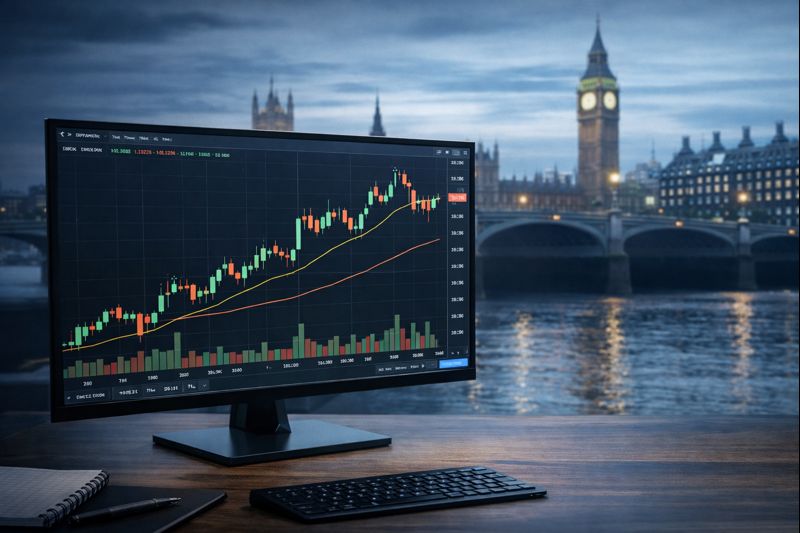
TradingView is best known for its interactive charts, which include:
- Multiple chart types (candlestick, bar, line, Heikin Ashi, etc.)
- Adjustable timeframes from seconds to months
- Drawing tools for trendlines, channels, ranges, and patterns
- Indicator overlays and sub-indicators
Charts are cloud based, meaning layouts can be saved and accessed across devices.
Technical Indicators and Studies
TradingView includes a large library of built-in indicators such as:
- Moving averages
- RSI, MACD, stochastic oscillators
- Volume-based indicators
- Volatility tools
Users can also create or customise indicators using Pine Script, TradingView’s proprietary scripting language. This is commonly used for testing ideas or visualising rule-based conditions, but it does not eliminate market uncertainty.
Multi-Market Coverage
One of TradingView’s strengths is the ability to analyse multiple asset classes from a single platform.
This is useful for:
- Cross-market analysis
- Monitoring correlated instruments
- Comparing relative strength across markets
Market data availability may vary depending on exchange and subscription level.
Alerts and Watchlists
TradingView allows users to set price or condition based alerts, which can be delivered via:
- App notifications
- Browser alerts
Watchlists can be customised to track instruments across different markets and exchanges.
Alerts are informational only and should not be relied upon as trading signals.
Community and Idea Sharing
TradingView includes a social component where users can:
- Publish chart ideas
- Share technical analysis
- Comment on market views
These ideas represent individual opinions and are not verified or regulated. Users should apply independent judgement and risk awareness when viewing community content.
TradingView Pricing Plans (Overview)
TradingView offers both free and paid plans.
Free Plan
- Basic charting access
- Limited indicators per chart
- Ads displayed
Paid Plans (Pro, Pro+, Premium)
Paid plans typically offer:
- More indicators per chart
- Additional chart layouts
- Increased alert limits
- Fewer or no ads
Subscription costs vary and are subject to change. Always review current pricing directly on TradingView before subscribing.
Is TradingView Suitable for Beginners?
TradingView can be used by beginners, but it still requires:
- An understanding of market risk
- Familiarity with technical analysis concepts
- Independent decision-making
While the interface is user-friendly, no platform can replace education, discipline, or risk management.
Is TradingView Used by Professional Traders?
TradingView is widely used for analysis and charting, including by experienced traders. However, professional use does not imply guaranteed performance.
Institutions may use additional tools, data feeds, or proprietary systems alongside platforms like TradingView.
Important Risk Considerations
Trading and investing involve risk. Charting platforms and indicators:
- Do not predict future prices
- Do not guarantee profitability
- Cannot remove emotional or execution risk
Past price data and technical indicators should not be relied upon as forecasts.
Before trading live, individuals should ensure they:
- Understand the risks involved
- Trade only with capital they can afford to lose
- Consider whether trading is appropriate for their circumstances
- Seek independent advice if unsure
Why Many Traders Choose TradingView
Traders commonly use TradingView for:
- Market visualisation
- Chart-based analysis
- Multi-asset monitoring
- Educational exploration of technical concepts
Its value lies in information and visual clarity, not in providing trading recommendations or outcomes.
How to Get Started With TradingView
You can explore TradingView using a free account, then decide whether a paid plan suits your needs.
Sign up Here
Signing up through this link may result in a commission for me, at no extra cost to you.
Final Thoughts
TradingView is a widely used charting and analysis platform that offers flexible tools for exploring financial markets.
It is not a trading system, signal service, or guarantee of results. Its usefulness depends on how it is used, alongside proper risk management and realistic expectations.
Risk Warning:
Trading and investing involve risk. Past performance does not indicate future results. This content is for educational purposes only and does not constitute financial advice. You may lose some or all of your capital.